
BACKGROUND
We had a lot of new designers join the org over a matter of just a few years. On top of that, our learners’ tools had changed significantly, and our brand standards were updated. What few web-based training design standards we had were seriously outdated. As a leader among designers, especially in web-based training design, I was asked to create some new standards.
GOALS
Easy to follow. By this I mean it wouldn’t have a ton of unnecessary standards. With just a few changes, some of them one-time software settings changes, a designer could follow the standards easily.
Minimally restrictive. As much as I like an extremely cohesive style, coming up with original ideas and new ways of doing things is one of the purest joys of being a designer.
Simple. I can get a little crazy exploring the limits of Storyline, but as much as I would have liked to have buttons with neat sliding hover effects or fancy avatar builders, those sorts of standards would break the first two goals, and overall it would just be too complicated.
RESOURCES
Brand Standards - Guidelines from the marketing department covering everything from logos, colors, writing style, imagery.
UX Standards - Guidelines from the product team for how our apps should look and feel.
Logos
Fonts
DELIVERABLES
File Setup
Resolution - Knowing learners would be accessing their training on an iPad, and knowing the height and width the Storyline player adds, and knowing how our LMS opens training in a new window, it was helpful to have a standard resolution to use.
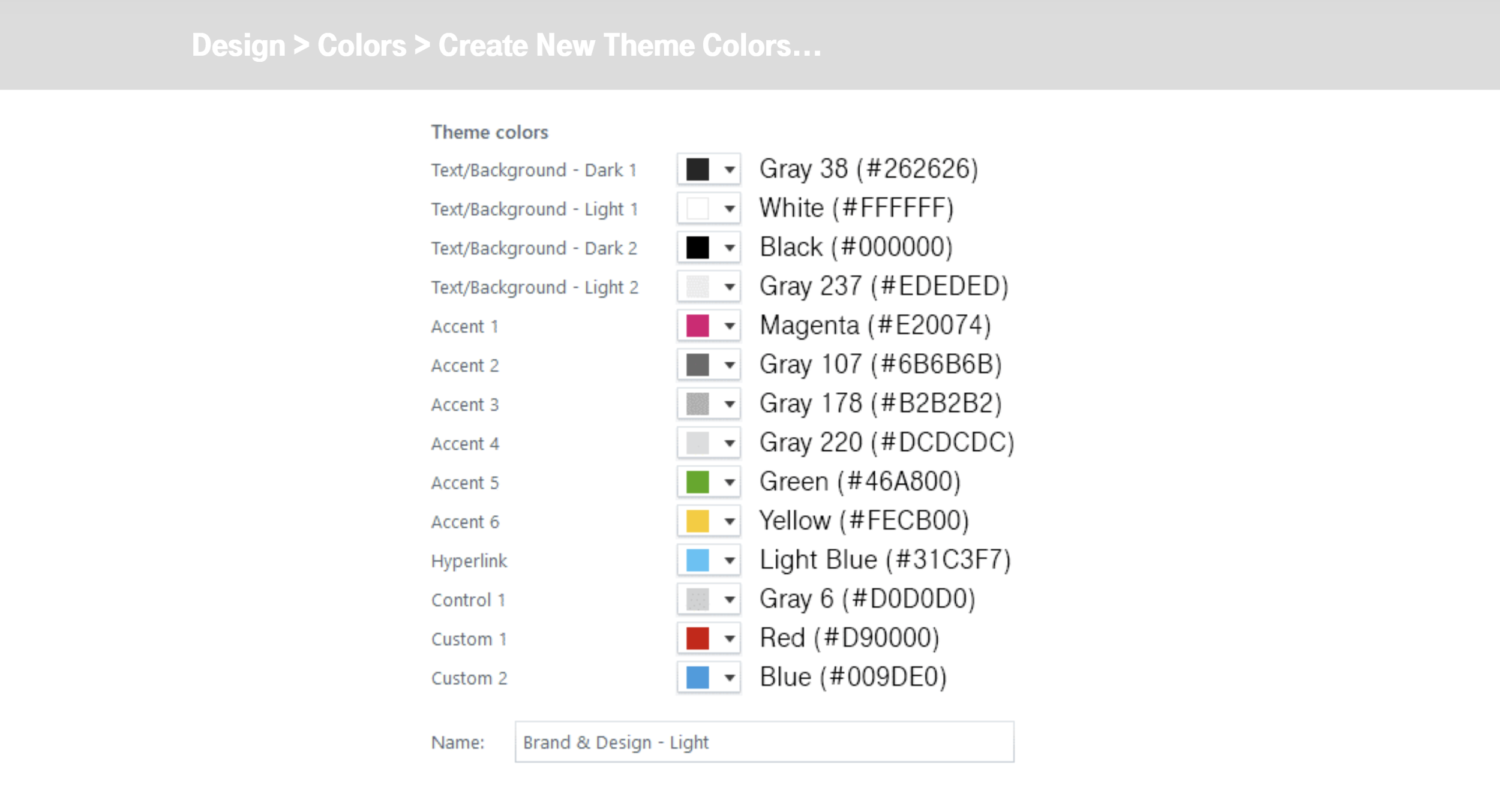
Theme Colors - Training materials land somewhere between marketing and UX, so I figured out a good mix that would be easy to set up once and be done.
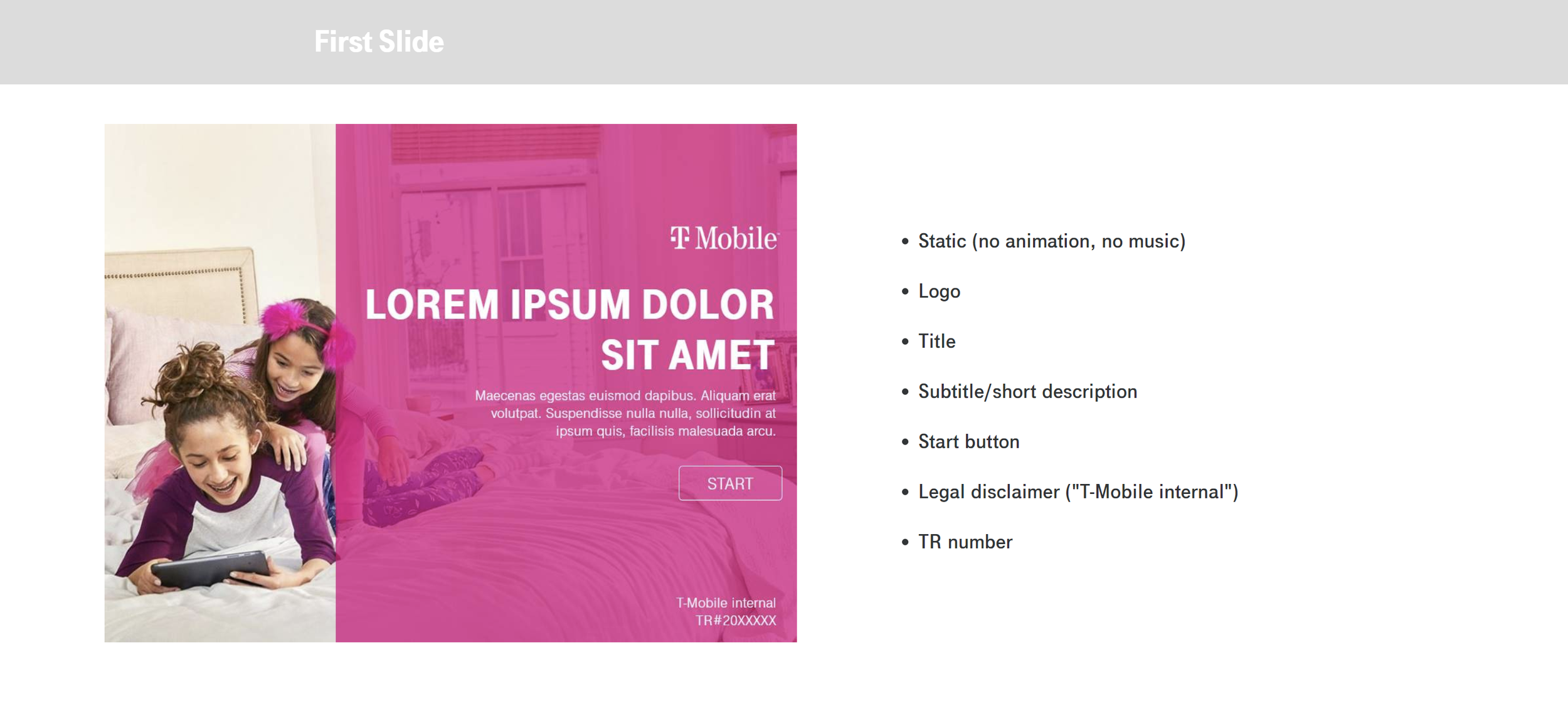
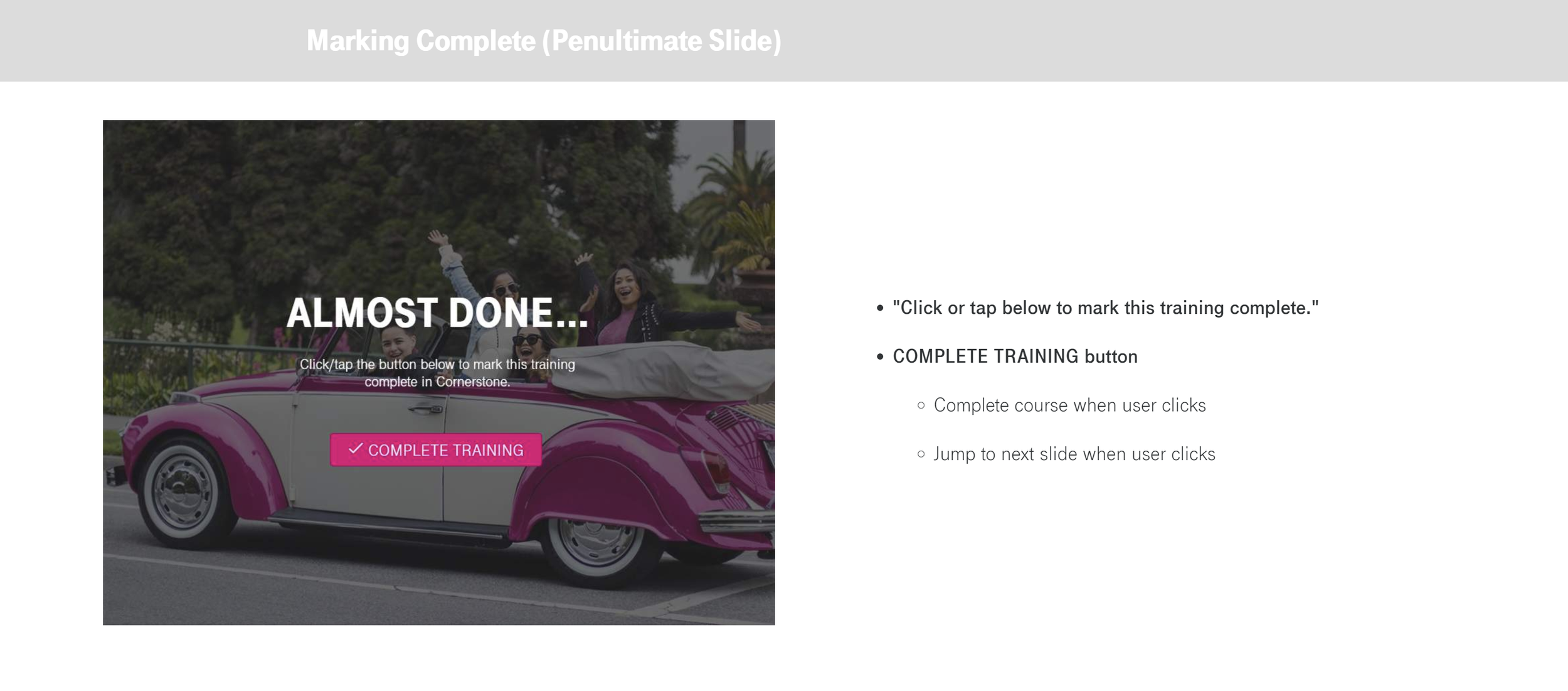
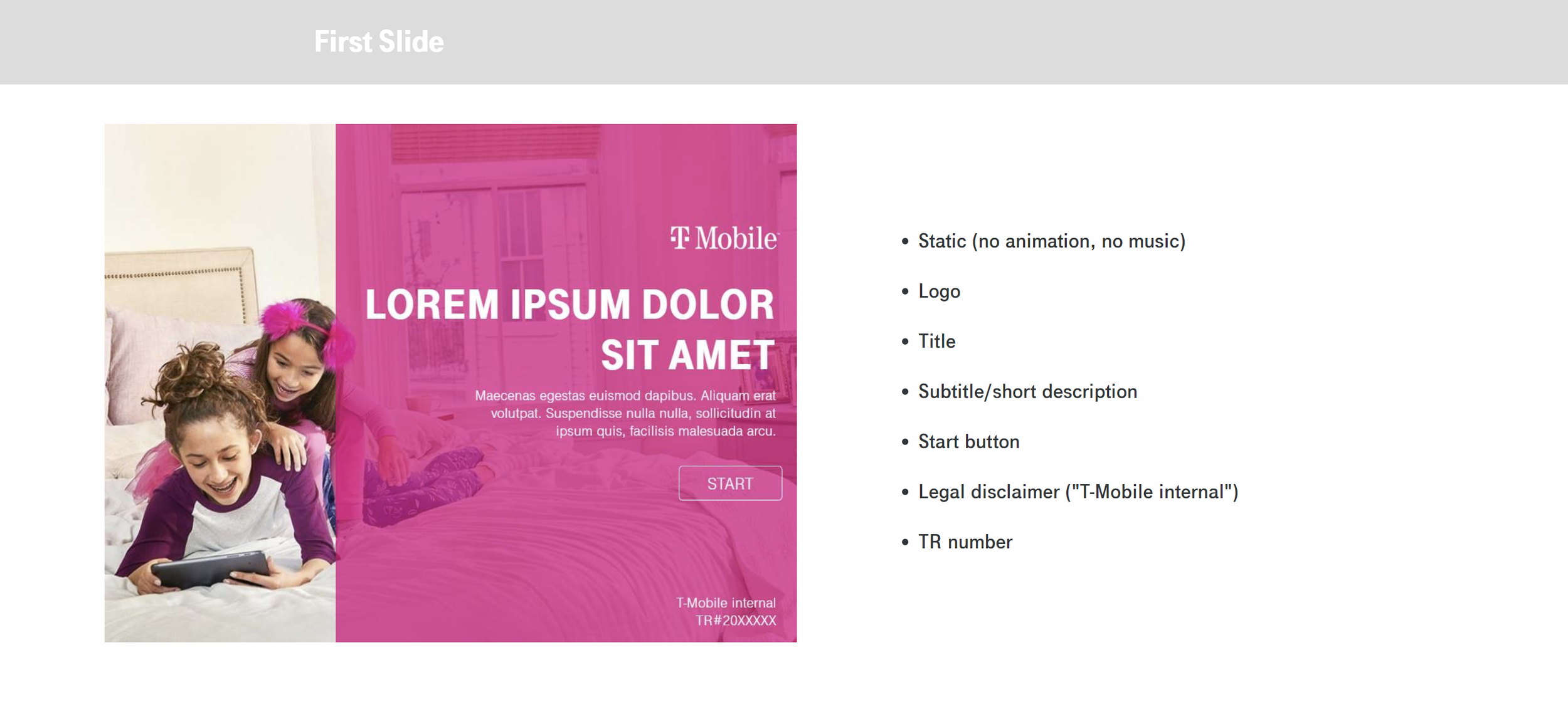
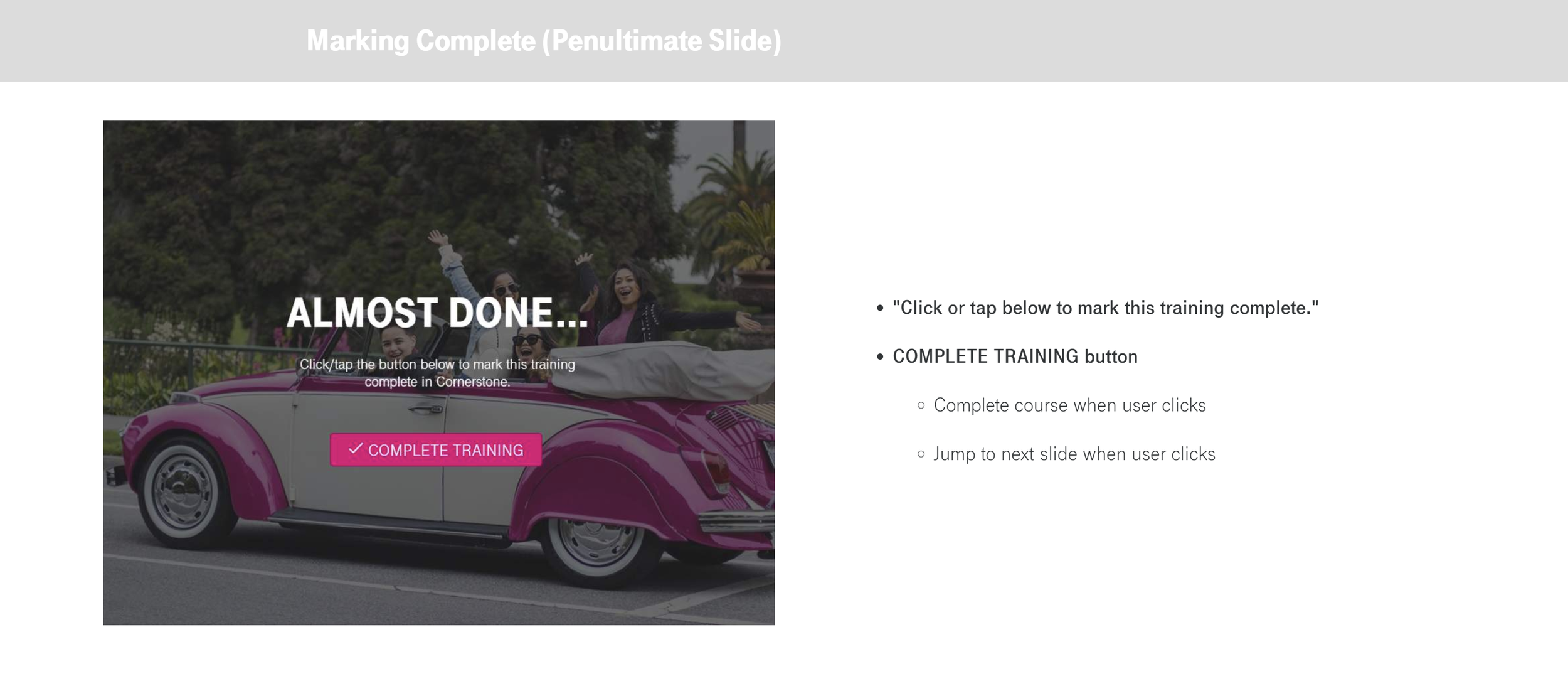
First & Last Slides
First Slide
Marking Complete (Penultimate Slide)
Last Slide
Publishing
SME/Peer Review or Use in Rise
Legal Review
Cornerstone
Symbols & Iconography
The Noun Project
TeleIcon
Material Icons
CONSTRAINTS
Few designers are fluent with Illustrator or Photoshop.
Few designers are familiar with variables in Storyline.
No resources to back up standards with training sessions or even tutorial videos.