
This Slacklibs solution is another example of how I’ll adapt, stretch, or even hack a tool to create a fun and unique learning experience. I’m not afraid of sharing how it works because, although I’m very proud of what I created, the reason you want me on your team is all the future problems you’ll encounter and how I can help you solve them.
You remember that one time when everything went virtual? When it was time to train-the-trainer (aka T3), we needed a way to generate interaction in a virtual T3. We consulted with a colleague who was on the Slack team. He showed me workflows. He showed me shortcuts. He showed me forms. He showed me variables. My brain instantly connected the dots:
I could create Madlibs using Slack workflows.
Write the silly story.
Find the variables, maximum 15 (more on that later).
Create the workflow.
Shortcut
Form
Message 1
Message 2
My first opportunity to launch my idea to the masses was in our top talent program that had to be virtual. I couldn’t just create one Slacklibs or else we’d get something like 30 of the same story in each group. So I wrote 5 silly stories.
Superhero
Road Trip
Celebrity
Fairy Tale
Sports
Wanna see one? Here’s how I wrote it:
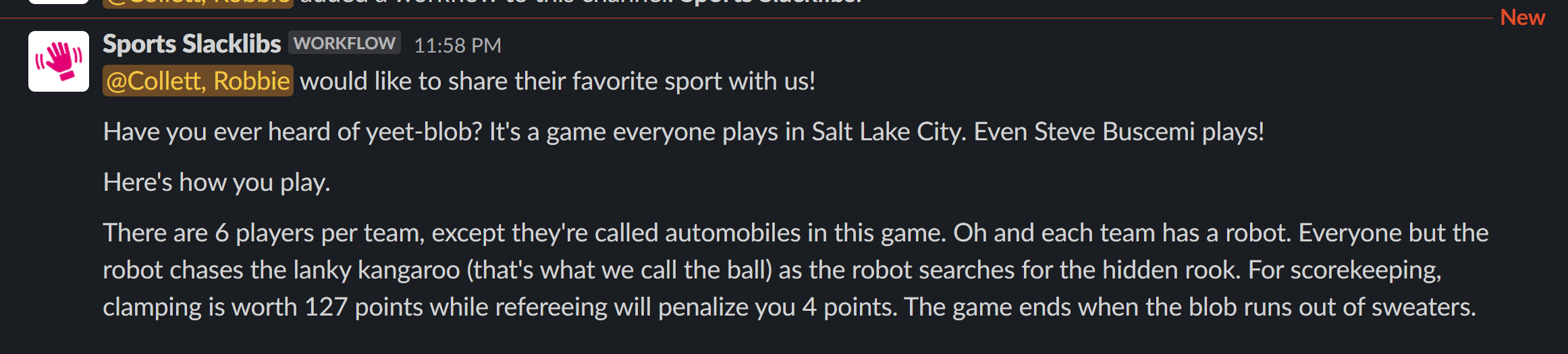
Have you ever heard of (verb)-(noun)? It's a game everyone plays in (location). Even (celebrity) plays! Here's how you play. There are (years at company) people per team, except they're called (plural noun) in this game. Oh and each team has a (noun). Everyone but the (noun) chases the (adjective) (animal) (that's what we call the ball) as the (noun) searches for the hidden (noun). (Verb ending in -ing) is worth (number) points while (verb ending in -ing) will penalize you (number) points. The game ends when the (noun) runs out of (gas or liquid).
So then I popped into Slack workflows and started one.
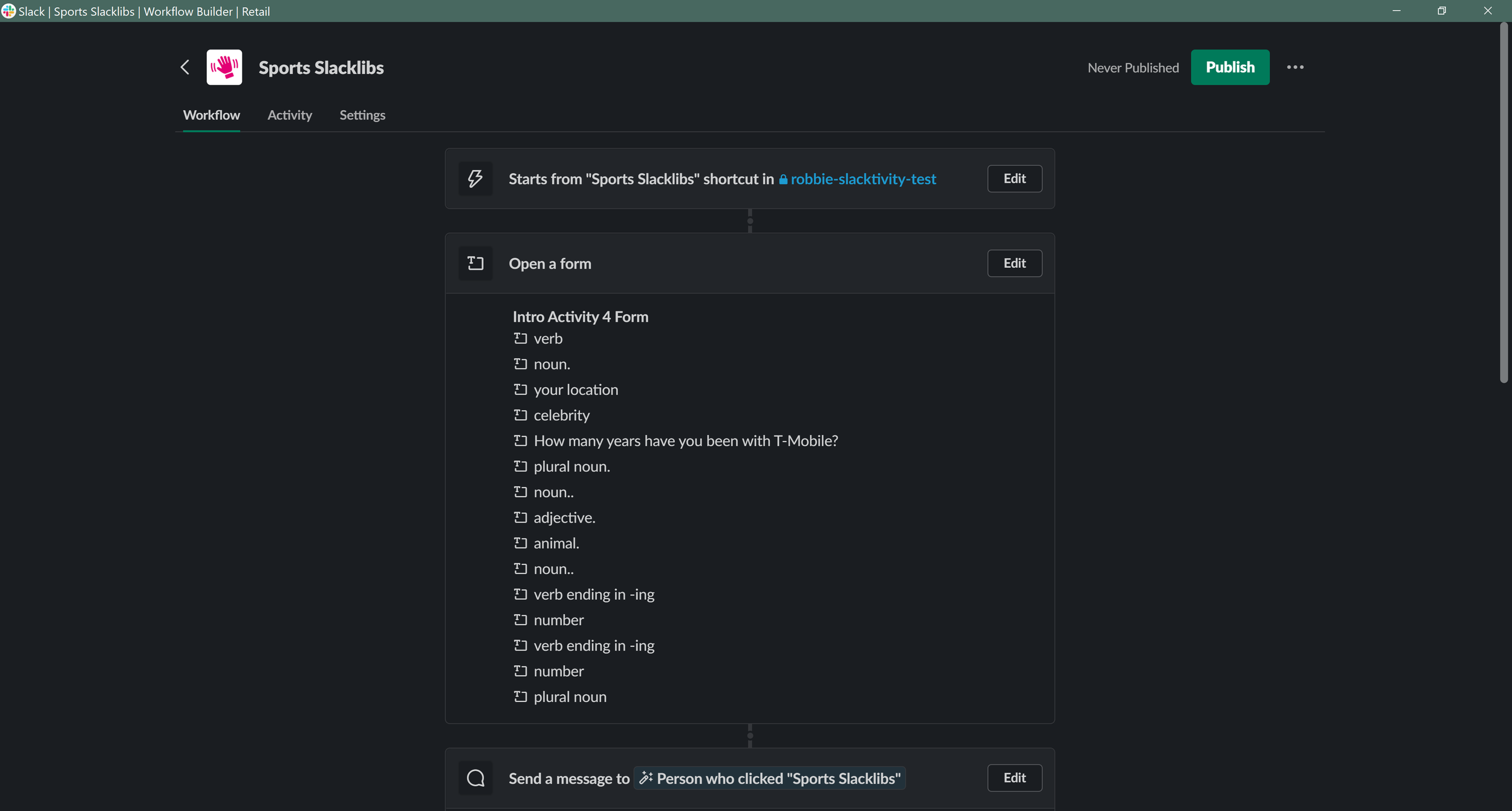
What I didn’t know yet was that each form has a maximum of 15 questions. I could have added another form to increase my variables, but I didn’t want that for the user. I edited the story and re-used variables where I could. On all 5 of the Slacklibs.
If you look closely at the screenshot above, you might notice some of the form questions have a period, or two periods, or three periods. I noticed in testing that, by simply calling the variables ‘adjective’ or ‘adverb’ as you see them in Madlibs, I would get multiple indistinguishable variables. I didn’t want to lose the simplicity of those prompts, so I just added periods. I don’t think anyone noticed.
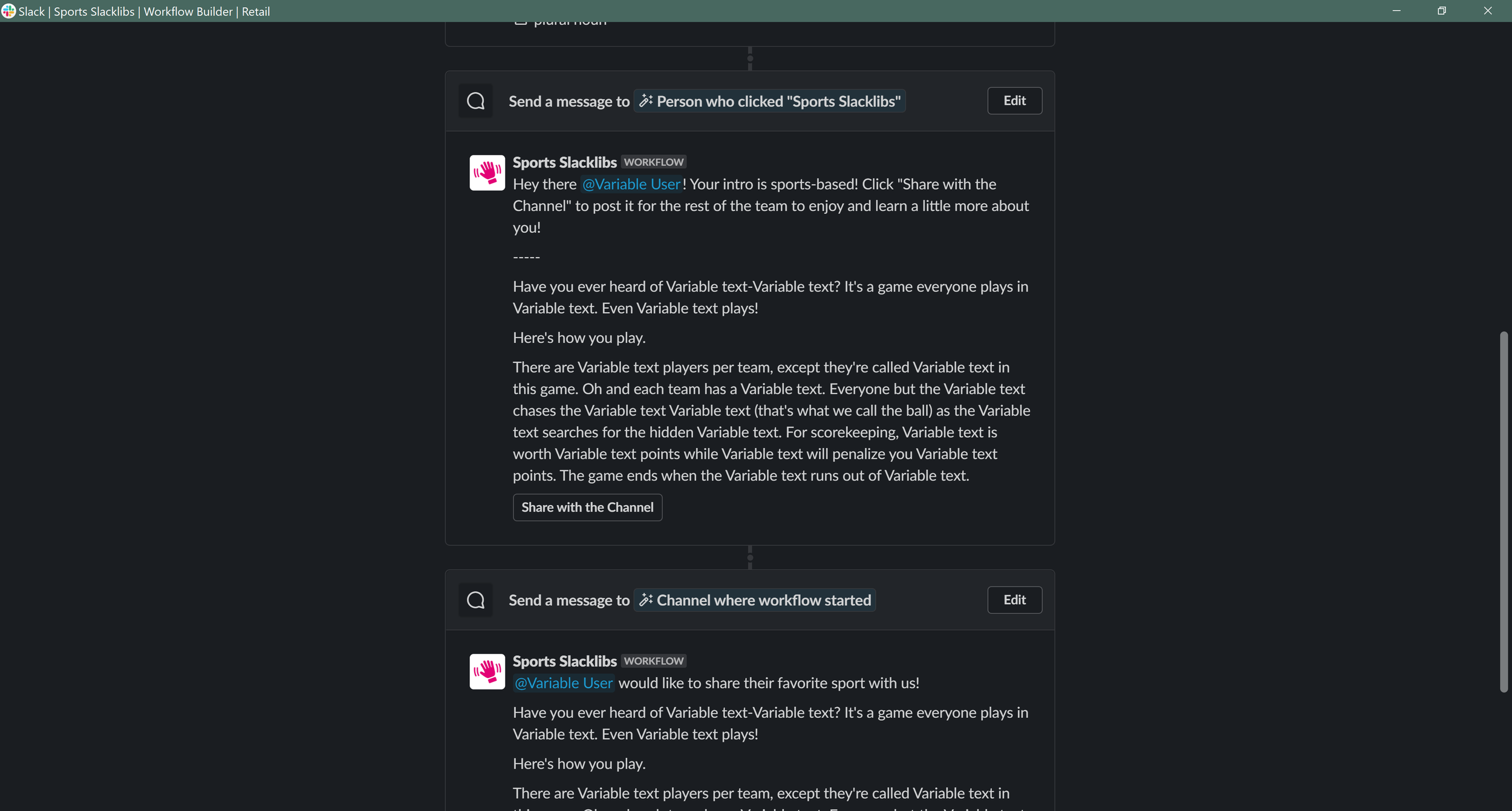
It seemed unlikely, but possible, that some combination of variables and story would be inappropriate for work. So, instead of sending the message straight to the channel to tell the story, I sent it to the user first, who could then simply click a button to share the story with the channel.
Here’s how it rolled out. The facilitator would reach a point in the training where participants would introduce themselves, and they’d direct everyone to the Slack channel created for that session or group. The trainer would show how to access the shortcuts, where they’d choose one of the five options.
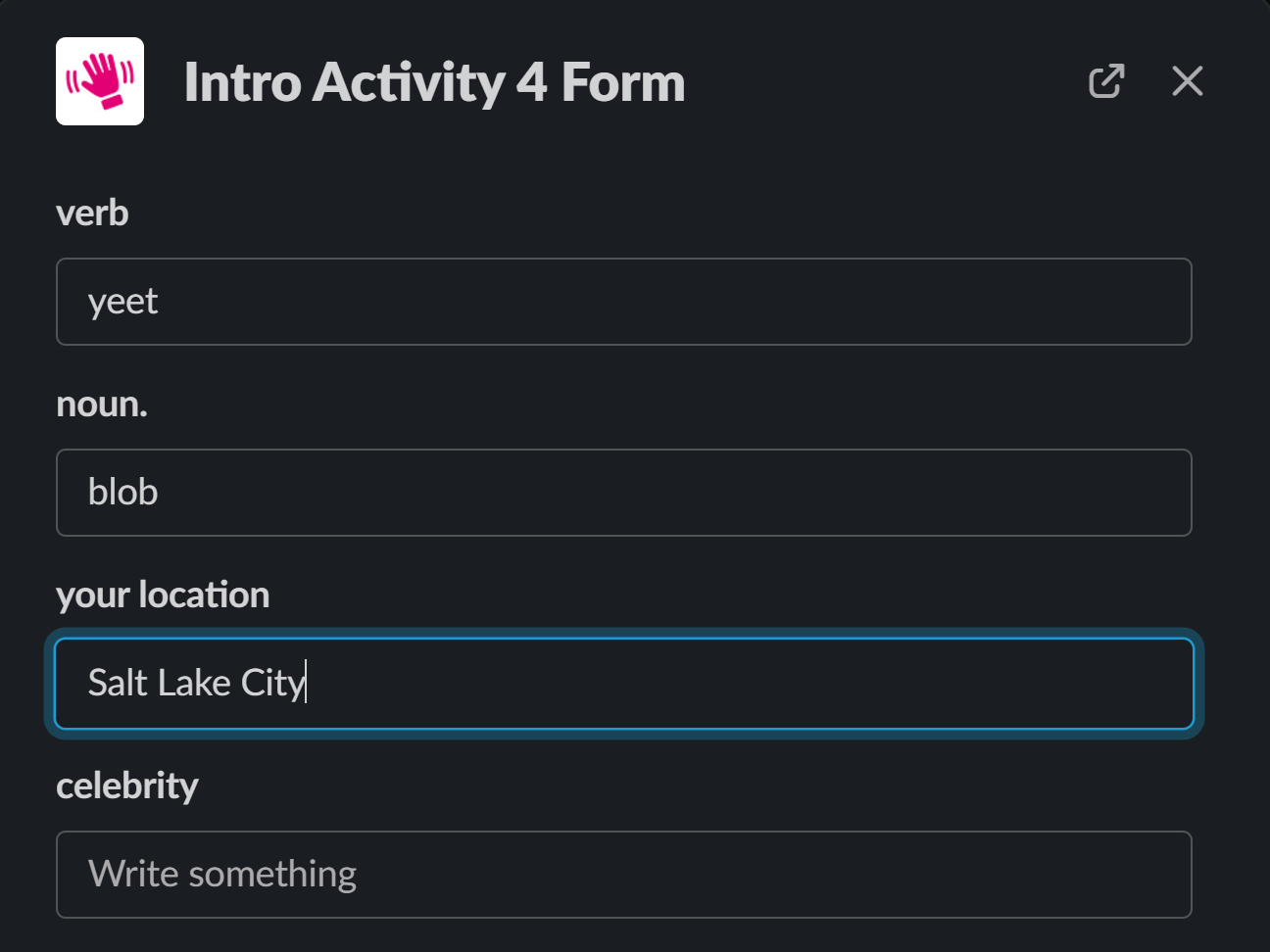
A form would be sent to them, and once completed, they’d get the story as a message via Slackbot. If it all looked good, they’d click the button, and it was shared with the channel. Boom. Slacklibs. Introductions. Delight!
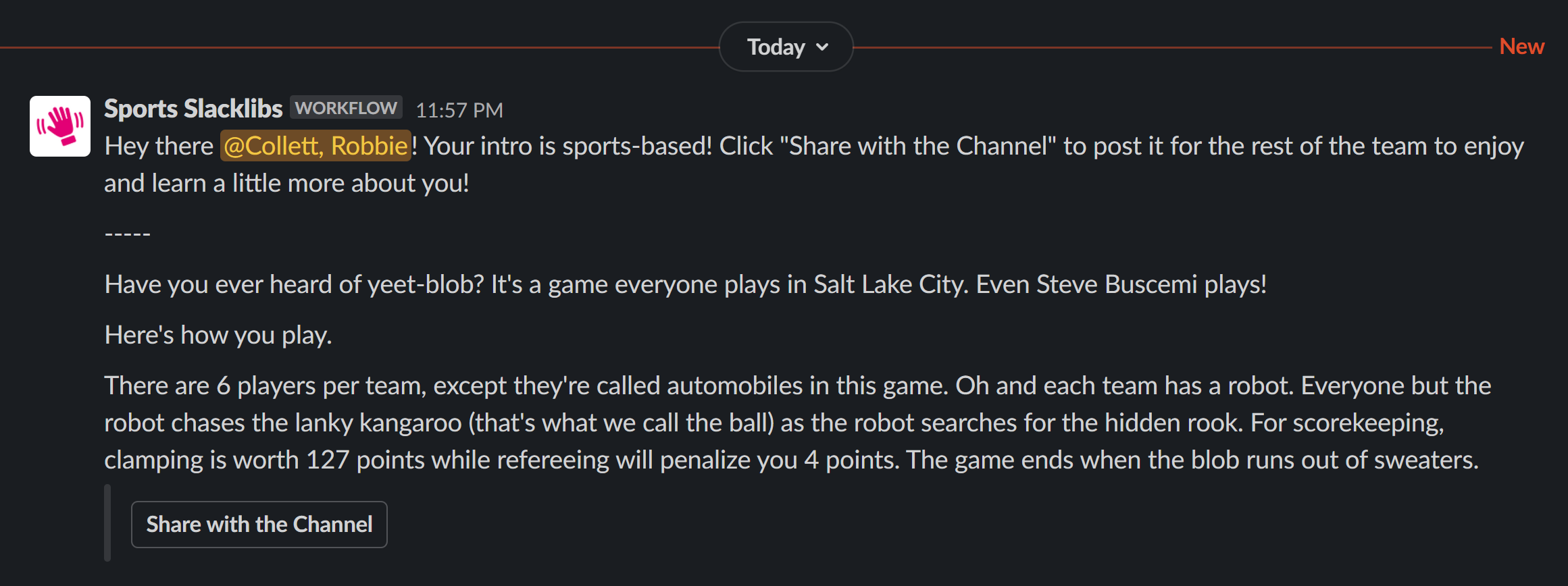
The message sent to the user had a little intro to provide additional instructions. The message sent to the channel was introduced differently. You might also notice a little magenta hand icon with these messages. That was custom-created and added to the workflow, and then it appeared on all messaging.
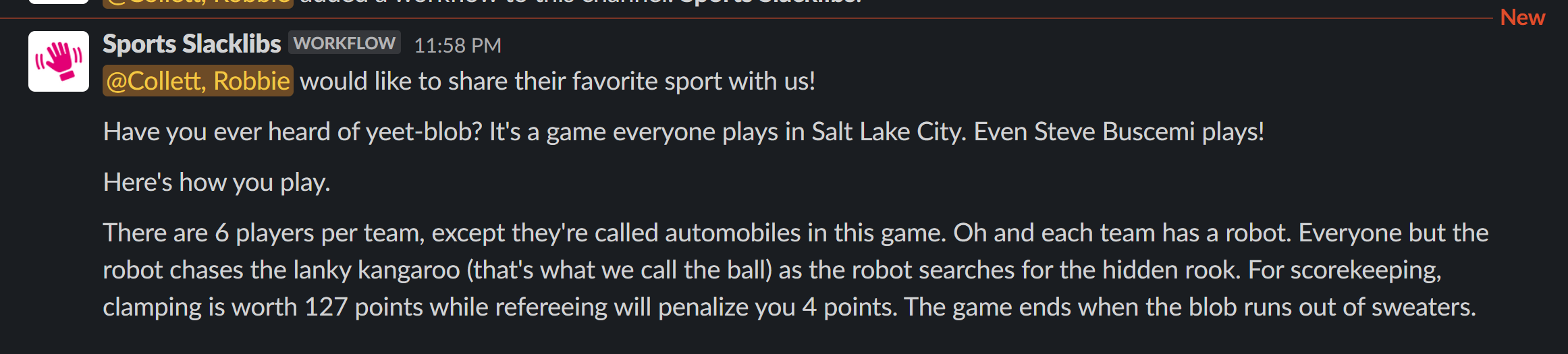
This sports-themed Slacklibs was my favorite of the five, so that’s the one I shared